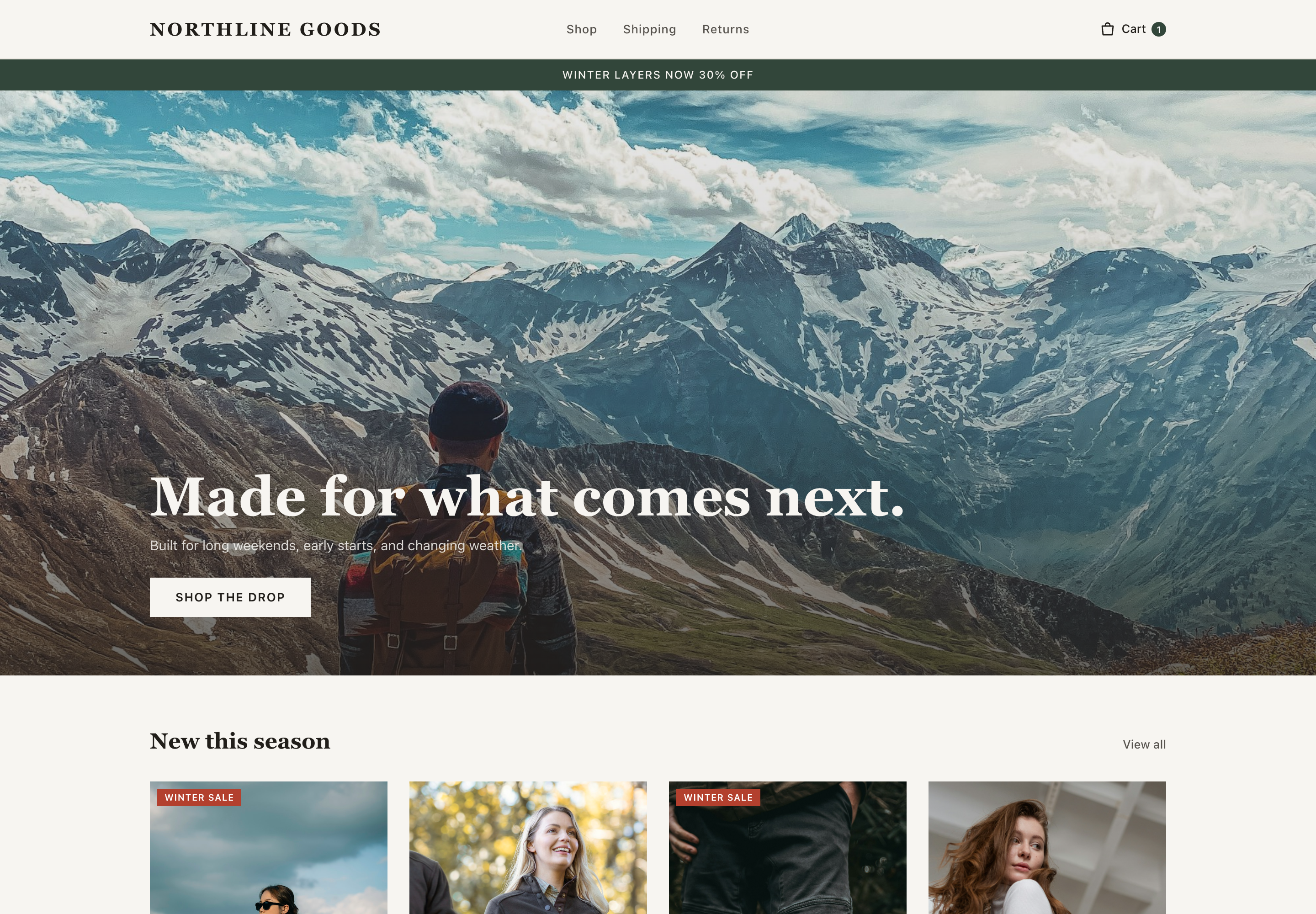
This store has serious accessibility gaps a lawsuit could cite today. Product images carry no descriptions and a checkout field has no label — both fail the WCAG rules most-cited in ADA web claims — and low-contrast text appears across all three pages checked. None of this is hard to fix, but until it's fixed it shuts out blind and low-vision shoppers and creates real legal exposure under the ADA and the European Accessibility Act.
Example report using a fictional demo store.
52/100
At risk
Accessibility score (automated)
2Critical2Serious0Moderate0Minor
Findings (4)
#01CriticalRule checkWCAG 1.1.112 placesProduct images have no descriptions
Location: Product gallery and homepage collection imagesReference ↗
What we found
Twelve images across the homepage and product page — including every photo in the Alpine Shell Jacket gallery — have no description, so a screen reader announces them as unnamed images or skips them entirely.
Why it matters
This fails WCAG 1.1.1 — the single most-cited violation in ADA web lawsuits. It also means a blind shopper using a screen reader can't tell what any product photo shows.
How to fix
Give every product image a short, factual description of what it shows — product name, color, and the detail the photo highlights. In most store editors this is the image's “alt text” field.
#02CriticalRule checkWCAG 4.1.2The discount-code field has no label
The cart's discount-code input relies on placeholder text alone. It has no label, so a screen reader announces it as just “edit text” with no clue what to enter.
Why it matters
This fails WCAG 4.1.2 — and it sits on the path to payment, exactly where accessibility lawsuits focus. An unlabeled checkout field blocks the exact people the law protects at the moment they're trying to pay.
How to fix
Add a real label to the field (visible, or screen-reader-only if the design requires it) — placeholder text is not a label.
#03SeriousRule checkWCAG 1.4.39 placesMuted gray text is too light to read
Location: Cart summary, product details, and footer — on all three pagesReference ↗
What we found
Nine pieces of text — the cart's shipping note, product care details, and several footer links — use light gray text that falls below the WCAG minimum contrast ratio of 4.5:1.
Why it matters
This fails WCAG 1.4.3, one of the most common violations cited in accessibility demand letters. It shuts out low-vision and older shoppers, who are a large share of buyers.
How to fix
Darken the muted text color until it meets a 4.5:1 contrast ratio against its background. A free contrast checker gives you the exact value in seconds.
#04SeriousSeen in screenshotThe sale promotion is baked into an image
Location: Promotional banner, top of the Homepage
What we found
The homepage banner shows “Winter layers now 30% off” as part of an image rather than as real text, and the image has no description.
Why it matters
A screen reader can't read words that live inside an image, so blind shoppers never hear about the sale — and the text blurs when zoomed by low-vision shoppers.
How to fix
Render the promotion as real text over a background image, or add the full offer wording as the image's description.
This automated scan checks your homepage — plus a product page and the cart when they can be found — against WCAG 2.1 A and AA rules, on desktop. Automated checks catch many issues but not all — a manual review is recommended before making any compliance claim.